
KWT Image Converter
Designed for website developers and designers who need batch image conversion. Convert photos and graphics into WebP,JPEG,or PNG to speed up page loading,improve SEO,and strengthen Core Web Vitals.
- A Windows desktop application to perform batch image conversion
- Supports JPEG,WebP,PNG,GIF,BMP,ICO,and TIFF formats
- Set JPEG quality ratio to balance size and clarity
- Select specific files or choose a folder to upload multiple images at once
- Generate a preview before final conversion
- Detect duplicates and apply duplicate handling rules
- Create detailed conversion logs
- Convert without watermark in the full version
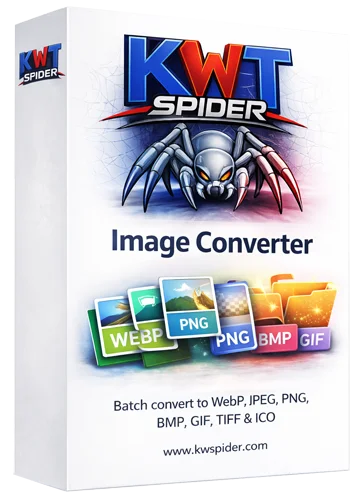
What Is KWT Image Converter?
KWT Image Converteris a Windows desktop utility that converts images between PNG,JPEG,BMP,GIF,TIFF,WebP,and ICO. With batch conversion it preserves folder structure,image quality,and duplicate handling while converting large sets of images for the web. It is well suited for website owners and designers who want to optimize large images for faster site loading and better rankings.
In brief:
- Purpose:Desktop application for batch image conversion.
- Target users:Website owners,designers,and agencies aiming to improve website speed.
- Advantages:Reduce image file size so websites load faster.
- Platform:Compatible with Windows 7/8/10/11.
Designed for:Windows systems (7/8/10/11).
Installation:Independent app—run the installer to set it up.
Input/Output:WebP,PNG,JPEG,BMP,GIF,TIFF,and ICO.
Demo:Supports all formats. Allows conversion of a single file per folder with watermark.
Full Version:Unlimited conversion without watermark.
Multiple formats
Convert images to PNG or JPEG with quality control,and also to BMP,GIF,TIFF,WebP,and ICO. Migrate to any supported format.
Batch &folders
Add multiple files or folders that contain many images. Full version preserves folder structure.
Options
Configure duplicate handling,save output with the chosen format name,and generate a preview before conversion.
Logging
Automatically creates a conversion log file to track errors,reports,and statistics.
What Are the Steps for Conversion?
Four simple steps:
Select the required folder or files
Click "Add Files"to upload one file at a time or "Add Folder"to upload multiple files at once and convert data in batch.
Choose output format &location
Select the output format (one at a time),then click "Browse"to choose the output location on your system.
Configure options
In Settings,choose folder structure and duplicate handling (skip,overwrite,or rename) to preserve file quality.
Start conversion
Click the final Convert tab and monitor progress. The utility also provides log details to confirm image quality.
Why Convert Images for Web?
A website with poor loading speed will struggle to rank in search engines,even if the content is valuable. Converting images for web helps you:
Faster page load
Smaller image files like WebP or optimized JPEG make pages lighter so they load quickly.
Better SEO
Faster page load speed supports better rankings,as speed is a key SEO signal.
Web-ready formats
Convert PNG or other image formats to WebP and other web-ready formats with a few clicks.
Batch for whole sites
Use batch conversion to convert multiple images at once,saving time and effort during migration.
How Does It Work?
Upload selected images to the tool → select the required output format → choose output and advanced settings (including duplicate handling) → click Convert. Real-time progress and logs show success or errors.
Features (Full List)
Summary of features:
- Formats:PNG (high quality),JPEG (set quality ratio from 1 to 100),BMP,TIFF,GIF (animation),ICO (icons),WebP (modern web).
- Conversion steps:Select required files/folders → select the output format → configure options (folder structure,duplicates,preview) → start conversion.
- Advanced:options for duplicates (skip,overwrite,or rename),batch processing,preview,and exportable logs.
Demo Version vs Full Version
| Feature | Demo | Full |
|---|---|---|
| File conversion | Single file per folder (batch limit) | Unlimited |
| Formats | All supported | All supported |
| Watermark | Yes (on converted images) | No |
| Folder structure | Limited | Maintained |
| Support | — | Priority email |
Download KWT Image Converter
Convert large images for web in batch. Download and install the application. Your images stay on your PC.
- OS:Windows 7/8/10/11
- RAM:Minimum 4 GB
- Installation:Required. Run the installer to set up
v1.0 · Demo free (watermark) · Full version paid
Frequently Asked Questions
Common questions asked by KWT Image Converter users.